Instructions for Custom Clip
Steps:
- Save and open this template on Adobe Illustrator.
- Add your artwork design to a layer named "addYourDesign".
- *IMPORTANT NOTE: Please do not move the position of the box template to ensure your artwork will be printed properly.
- Convert all text to outlines.
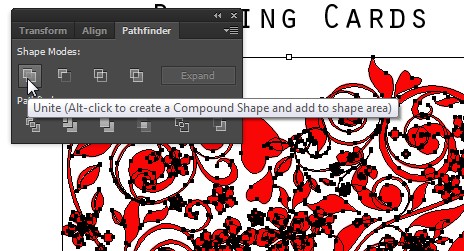
- If you have any overlapping objects like the below, please use the "Pathfinder", select the overlapping objects and click on the "Unite" button to combine all object paths into 1 object.
- Before you send the file back to us, please hide the dieline layer groups.
- Save your file and send it back to us.
If you require more information on our card clip, our professional team are ready and happy to answer and support you as needed.
Contact us here »
Close Window X